
Turn Simple Notes with an AI Video Generator Into Video Presentations
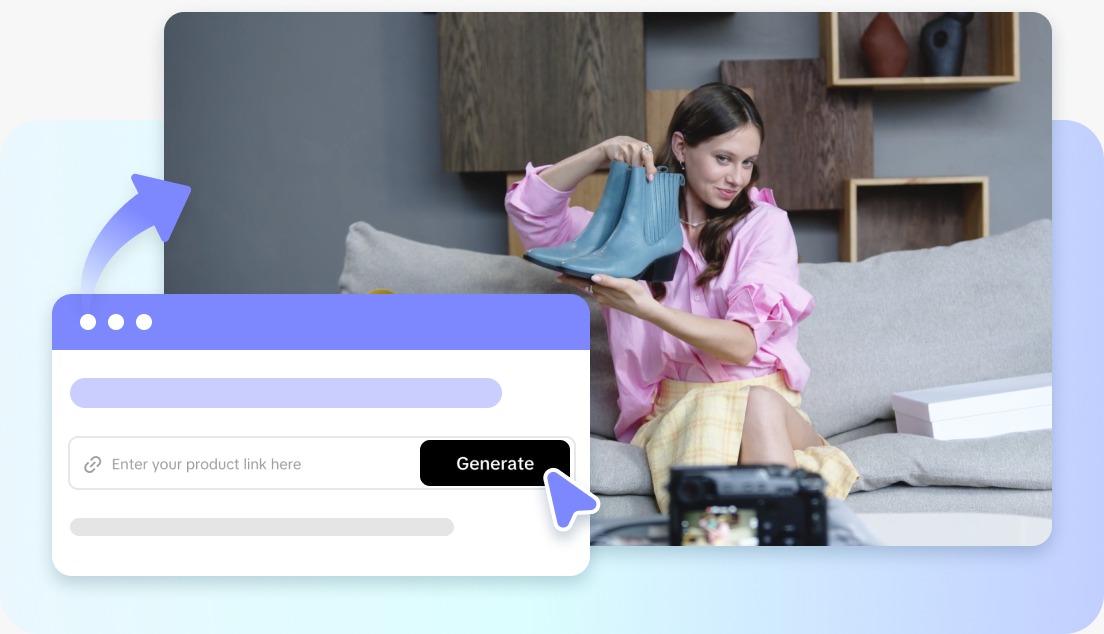
Most individuals write great notes at meetings, lectures, or research. Nevertheless, such notes are usually not used immediately. Written information does not always attract attention or convey ideas. Contemporary readers are attracted to dynamic content that conveys ideas quickly and visually. Visual communication is increasingly being used in educational institutions and even businesses to convey knowledge. Handwriting notes and turning them into presentations is a time‑consuming process that demands design expertise and preparation of narrations. Most people cannot organize scattered notes into a coherent visual representation. Pippit and similar platforms make this transformation easier by using automated video creation tools. The technology transforms simple information into a professional presentation without sophisticated editing. Similarly, trend forecasting tools help turn raw data into clear, actionable visual insights for fashion and retail brands.
Why Video Presentations Are More Impactful Than Text Notes?
A video presentation is a blend of graphics, speech, and motion to illustrate ideas. Drawing helps people understand, since pictures are easier to understand than words. The audience also remembers information through organized images. The exposition is structured so that the viewer can grasp complex ideas one at a time. Such a format reduces the misunderstanding that is bound to arise in dense written materials. Video content can also be easily transferred across websites, classrooms, and training platforms. Many organizations prefer videos since employees learn faster when they are demonstrated. Digital platforms encourage sharing, which is a massive growth in reach. Pippit helps transform written ideas into an imaginative visual image with minimal effort.
How AI Converts Written Notes Into Structured Video Content?
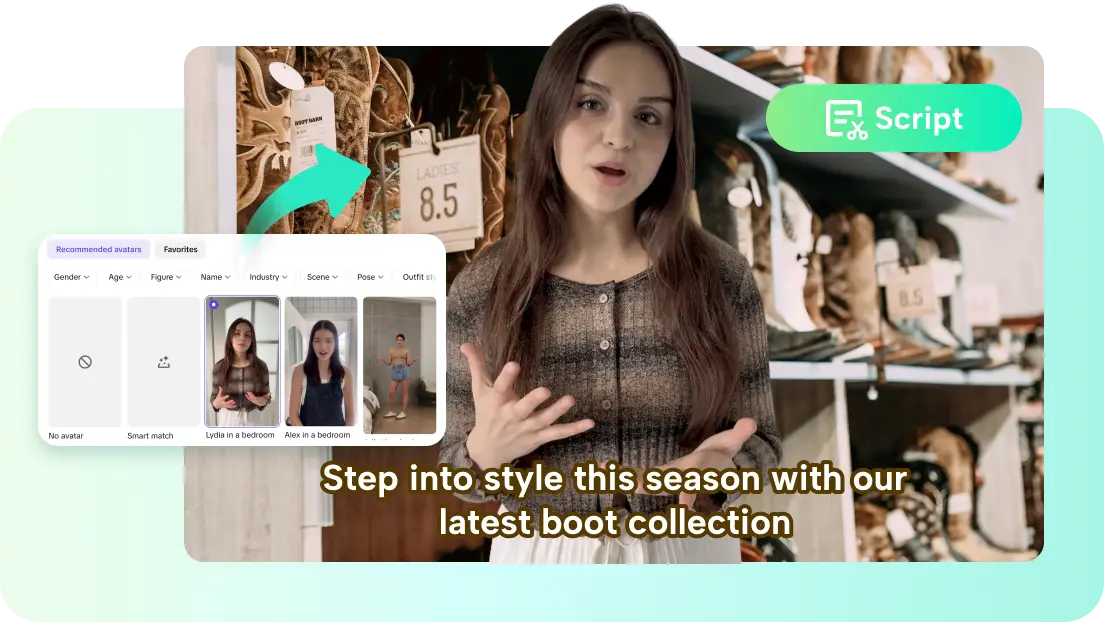
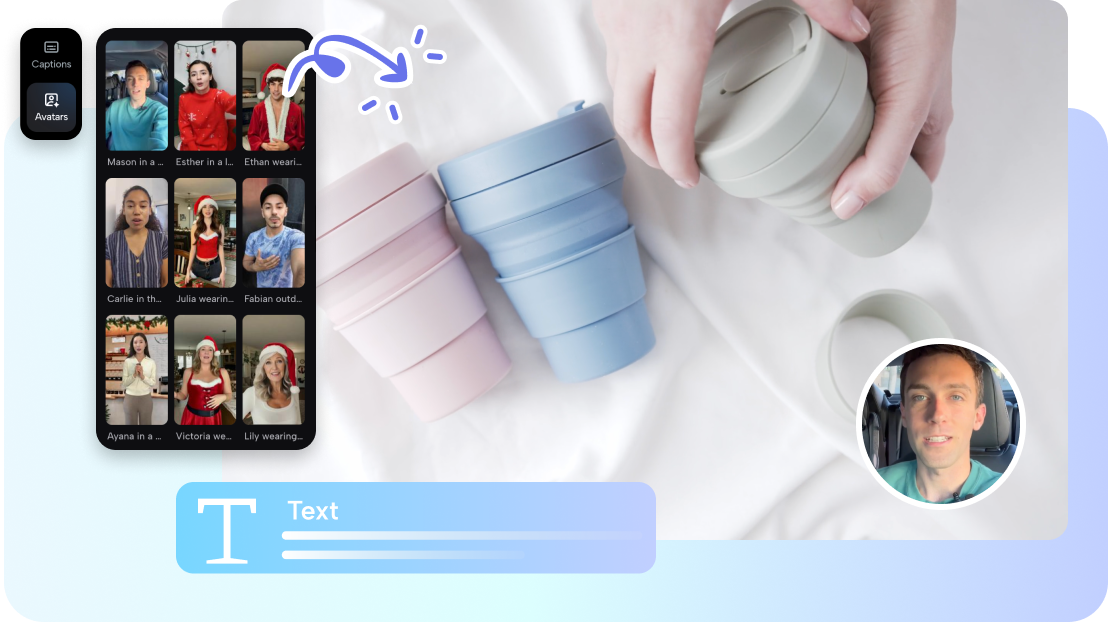
Artificial intelligence analyzes written text and automatically identifies key points. Important messages in notes are written in a video presentation as scenes. A script generation system is one in which thoughts are structured into clear, easily understood accounts. The AI video generator interprets bullet points and transforms them into coherent narratives. Visual layouts, such as icons, graphics, or animations, support each idea. AI avatars can explain as professional presenters. Captions are used to supplement verbal information and make accessibility to the audience more inclusive. This computerized system saves time that would have been spent designing slides and voice-overs. Pippit integrates these functions into a single streamlined environment.
Structuring Effective Note-Based Video Presentations
Good presentations begin with presenting information. Each segment should have a single idea or concept. The presentation uses concise headlines that guide the viewer. Examples also help in explaining abstract or complex problems. Explaining ideas is done in a way that does not bombard viewers with too many graphics. Frequent punctuality can prevent the audience from feeling rushed and monotony. Short sentences maintain attention and encourage comprehension. Logical sequences enable the audience to watch the story to the full. Pippit aids creators by automatically organizing scenes yet maintaining informational lucidity.
Core Advantages of AI Note-to-Video Conversion
Digital platforms increasingly support visual learning and rapid knowledge sharing. Tools like Pippit simplify presentation creation through automation and intelligent formatting. Many creators rely on a free AI video generator to transform notes into engaging content. These systems reduce technical barriers and accelerate content production. Automated workflows allow educators, trainers, and professionals to focus on information quality rather than on the complexity of editing.
- Automated Script Generation
AI interprets notes and converts them into structured narration. Scripts ensure logical and organized video flow.
- Slide-Style Scene Creation
Each key point becomes a visual scene. This mimics professional presentation slide formats.
- AI Voice Narration
AI voices present the notes clearly. This removes the need for manual recording.
- Editable Visual Elements
Text styles, colors, and layouts are customizable. Users can align visuals with branding or themes.
- Efficient Knowledge Sharing
Videos simplify complex topics quickly. They allow easy sharing across educational platforms.
Steps to Turn Simple Notes with an AI Video Generator Into Video Presentations
Step 1: Convert written notes into presentation prompts
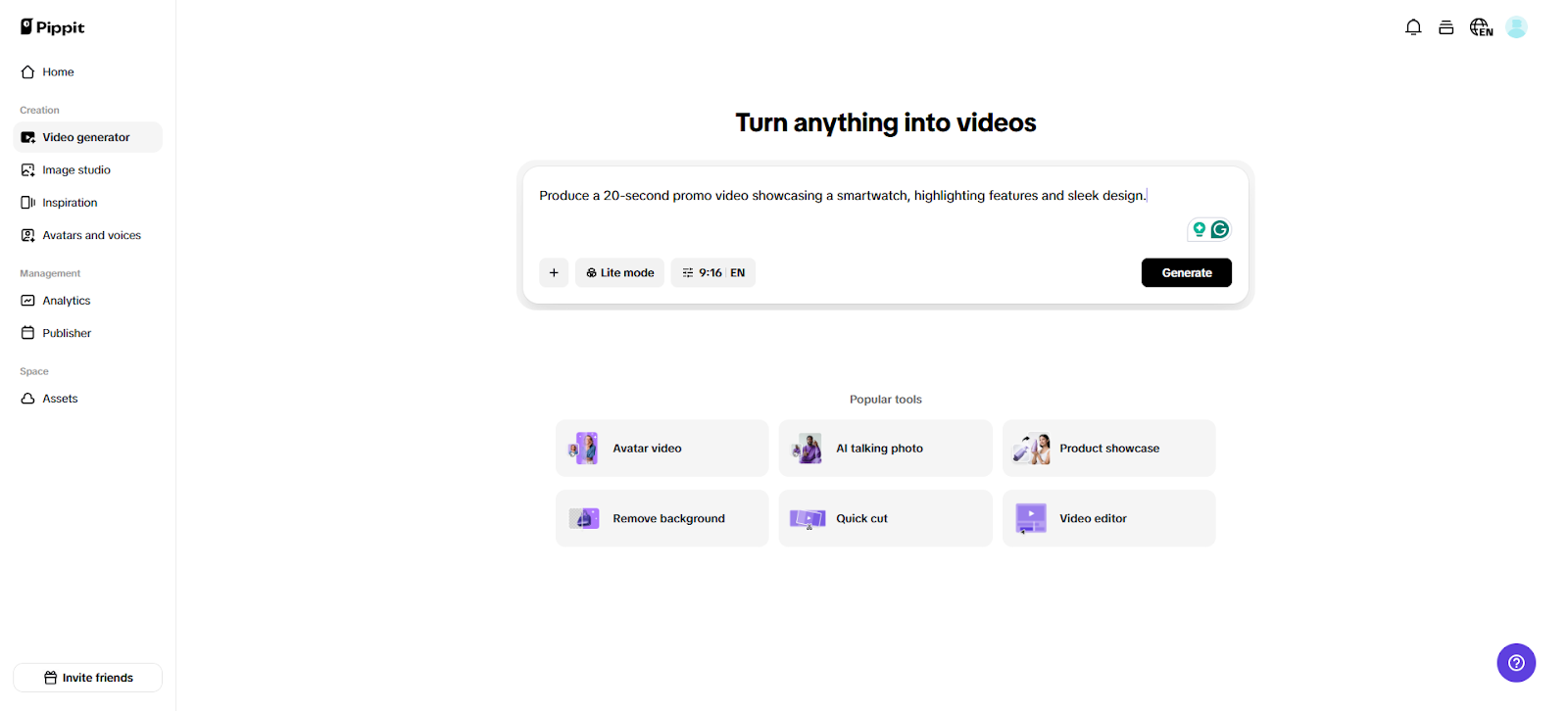
- Sign up for Pippit, open the dashboard, and access the "Video generator" workspace for presentations.
- Enter a detailed prompt explaining how the written notes should appear visually within presentation slides.
- Click "Add media" to upload reference visuals from your device, phone, or Dropbox, or paste helpful links.
- Select built-in assets if no supporting visuals exist for your presentation notes.
- After preparing prompts and media elements, click "Generate" to start building the presentation video.
Step 2: Let AI produce presentation video drafts
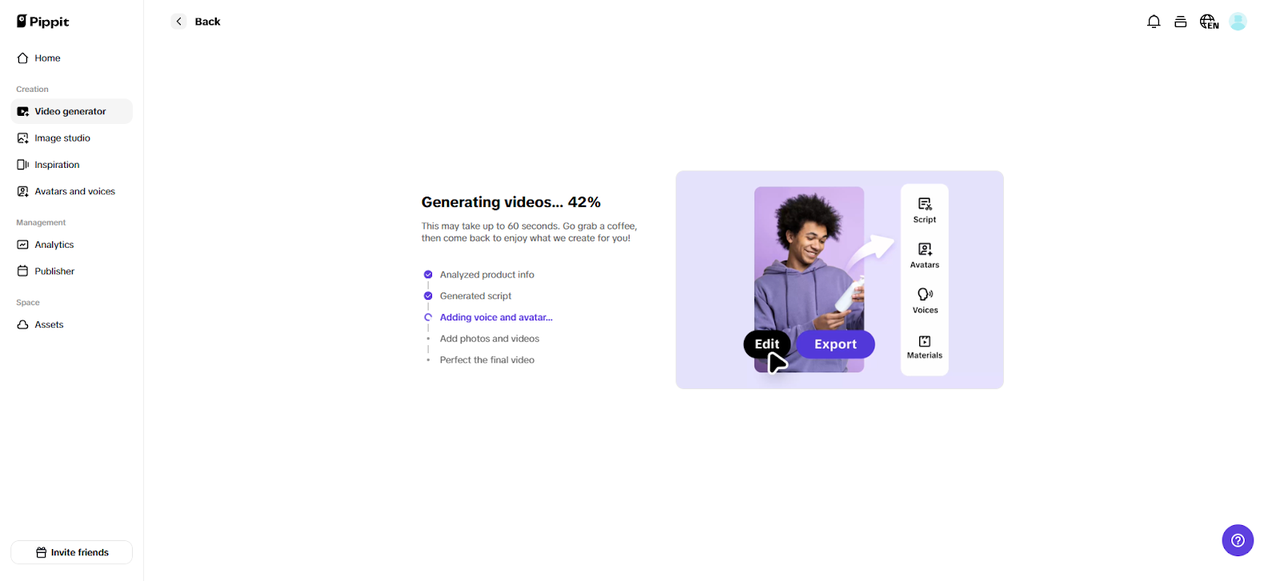
- After clicking "Generate", the system automatically converts notes into structured presentation video drafts.
- The generator organizes transitions, pacing, captions, avatars, voice narration, lyrics, and visual presentation enhancements.
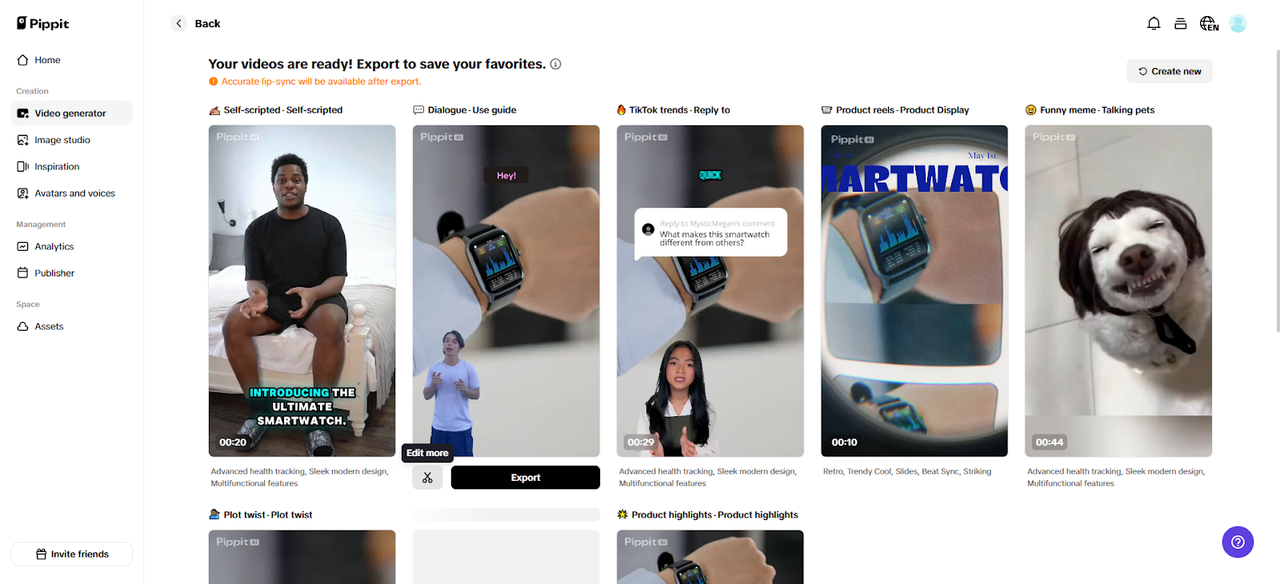
- The platform delivers four to five different presentation drafts ready for evaluation.
- Choose the best version and press "Edit more" to refine the presentation design further.
Step 3: Improve clarity and export the final presentation
- Edit captions manually while adjusting text size, colors, alignment, filters, and visual presentation effects.
- Enhance delivery by adding background music, removing backgrounds, and carefully refining presentation visuals.
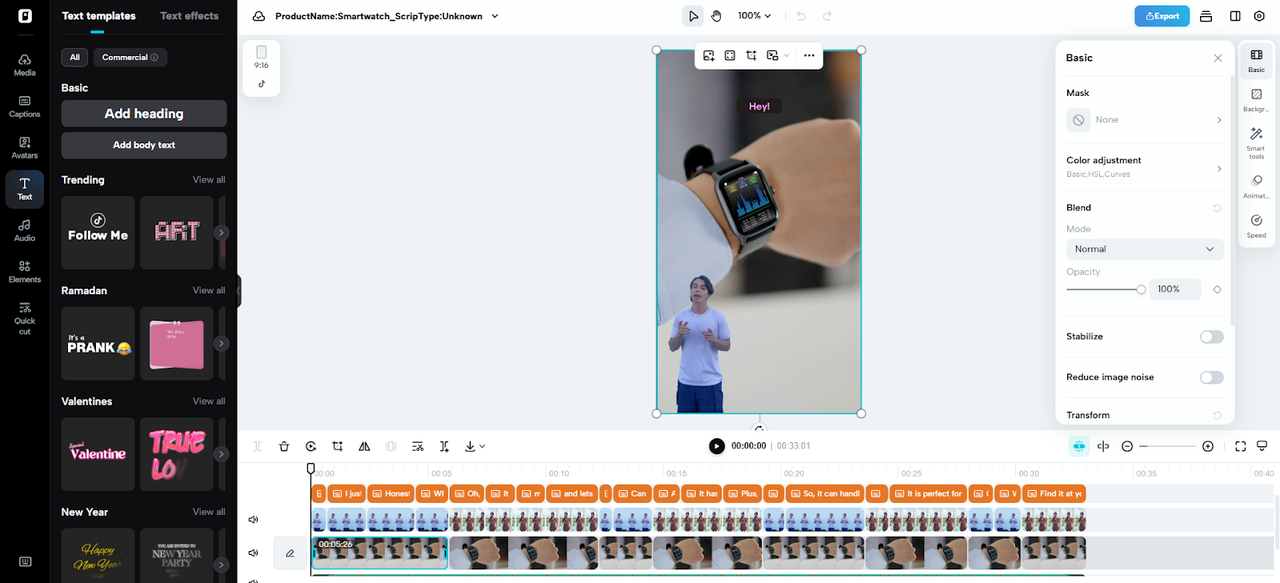
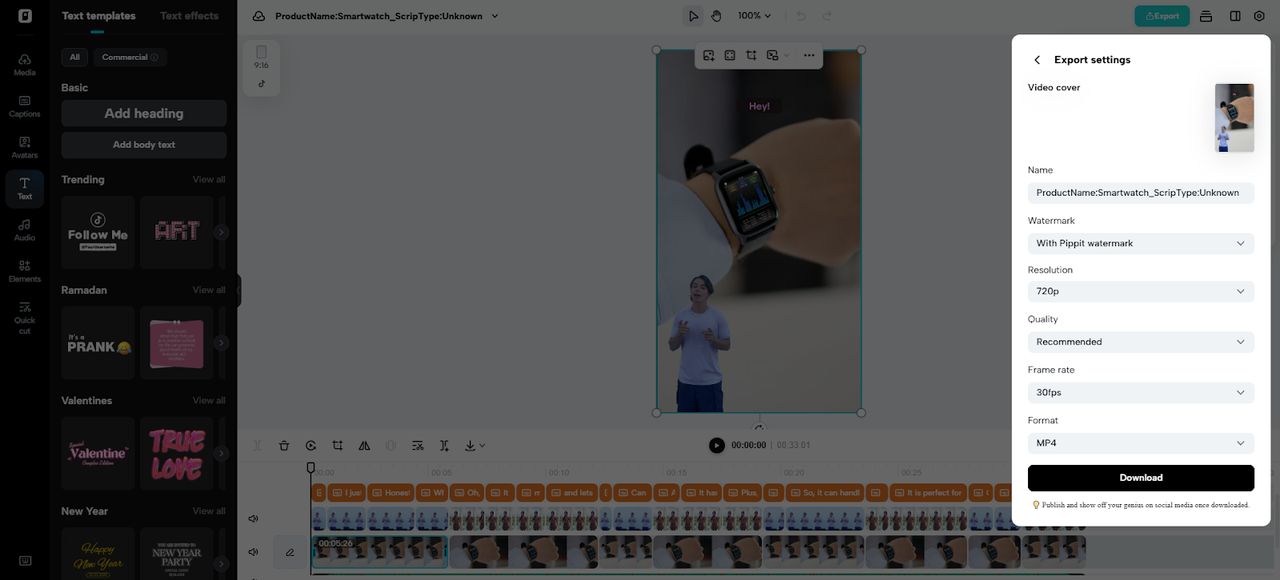
- When the presentation video appears polished, press "Export" in the top-right corner.
- Select "Publish" for social sharing, or "Download" in the preferred format, resolution, frame rate, and quality.
Practical Applications of AI Note-Based Video Presentations
In online learning institutions, lectures are often converted into graphics. Video presentations simplify complex subjects through systematic presentations and explanations. AI‑powered trend forecasting turns raw data into clear, actionable visual insights, much like these videos turn notes into easy‑to‑understand visuals. Companies also turn documents into employee training material. Training videos bring uniformity in knowledge and coordination within the teams. Professionals usually prepare explainer videos to impart knowledge to wider societies. The advantage of the online communities is the short knowledge clips to summarize discussions. Marketing teams also turn informational notes into interesting promotional presentations. Pippit supports diverse use cases with versatile video production tools. The platform allows creators to quickly design informative graphics.
Improving Clarity and Engagement in Video Presentations
Clear communication is still needed in effective presentations. Long paragraphs are not good for expressing ideas; instead, short sentences are better. Theories or abstract ideas are explained using pictorial examples. Frequent typography and design improve the readability of scenes. Even balanced pacing allows viewers to receive the information without distractions. Narration must align with the visuals to avoid confusion. Conceptual knowledge is developed through simple diagrams and icons. The logical flow of ideas makes each thought a logical extension of what has already been described. Pippit assists creators through a steady video generation framework.
Conclusion
Simple notes are converted into visual presentations, improving communication and knowledge sharing. Video formats are simple to comprehend, recall, and disseminate information. The automation eliminates technical barriers and speeds up content production. The other sites, like Pippit, are more user-friendly in creating videos using intelligent tools. The technology is useful to educators, professionals, and businesses that are concerned with effective communication. The world is moving toward visual learning in the digital age. Video presentations, therefore, are a powerful means of presenting organized information.
Get ahead and stay
ahead with AI-powered trend forecasting.
Request a demo. Our AI tools are unmatched in the marketplace for predictive data and trend forecasting.